
How to get a Telegram alert when someone wakes your Mac
You left your Mac locked on the table and walked away. You want to know right away, on your phone, if someone opens it while you're gone. Below you'll find what macOS can do by itself, why Telegram works well for alerts, and how to connect your Mac to a Telegram bot of your own in a few minutes.
What macOS can do by itself
macOS has no feature that sends a message to your phone when someone wakes your Mac. You can only find out afterwards, from the wake log, what time the screen turned on. How to do that is in the guide on how to tell if someone used your Mac.
Developers can build an alert themselves, with a script that runs on wake and writes to a Telegram bot. It needs Terminal and upkeep, though, and it doesn't take a photo at a wrong password.
Why Telegram
- It's free, and you probably already have it on your phone.
- You make the bot yourself, and the alerts reach only your chat with it.
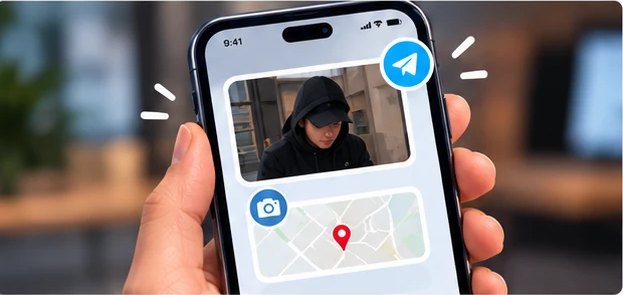
- Messages come with a photo, the time and, if you want, the Mac's location on a map.
- You don't need Telegram Premium.
What you need
- A Mac with macOS 14, 15 or 26.
- A Telegram account, on your phone or on your Mac.
- Upsi, the menu bar app that takes the photo and sends the alert. The first 30 days are free.
The steps, with Upsi
Upsi guides you step by step, with pictures, from Settings, under Connectors. In short:
- Open BotFather, Telegram's official bot for making bots.
- Send it the /newbot command. Press the button in Upsi, then Send in Telegram.
- Give the bot a name, for example Upsi.
- Pick the username. BotFather asks for a second name that ends in “bot”. Upsi suggests one ready to use.
- Get the token. BotFather replies with a long code. Tap it once and Upsi picks it up by itself and keeps it only on your Mac.
- Open the chat with your bot and press Start. Upsi finds the chat by itself within a few seconds.
- Test message. Upsi sends you a test photo. If it reaches your phone, everything is connected.
What you get on your phone
- “👀 Someone woke the Mac at the lock screen”, with the time and the photo.
- “⚠️ Wrong password at the lock screen”, with the time and the photo.
- If you turned location on in Upsi, the alert also has the Mac's location, with a link to a map.
For each moment you choose whether a message goes out, in Settings, under Connectors. The photo is taken on the Mac anyway, if that moment is on.
If the Mac has no internet
The photo is taken and kept on the Mac. The message waits in a queue and goes out by itself as soon as the internet is back. Upsi retries once a minute.
Who sees the alerts
Only you. Upsi sends messages only to the chat between your bot and your Telegram account. If someone else finds the bot and writes to it, they see nothing of what you received. The bot's token stays only on your Mac, so don't give it to anyone. The photos never pass through our servers. Like any Telegram message, they pass through Telegram's servers.
If nothing arrives
- Check that you pressed Start in the chat with the bot.
- Send a test message with a photo from Upsi.
- Check that the Mac has internet. If it doesn't, messages go out by themselves when the connection is back.
- Check that the moment is turned on in Settings, under Connectors.
Try Upsi free for 30 days
Every feature is included in the trial, no card needed. After that it costs €4.99 a year for one Mac. For now payment is in crypto; card payment is coming back soon. Works on macOS 14 or later.
Download Upsi for MacWhat else Upsi doesFrequently asked questions
Does the Telegram bot cost anything?
No. You make the bot for free in BotFather, and you don't need Telegram Premium.
Can I get the alerts without Telegram?
Yes, on the Mac. Without a bot, the photos stay only on your Mac, in the Pictures folder, in the Upsi subfolder. Telegram is only for getting them on your phone too.
Do I get an alert when I open my own Mac?
Yes, because an alarm can't know who is at the Mac. If you don't want alerts while you're at home, pause Upsi or choose the hours when it pauses by itself.
Can you tell on the Mac that Upsi sends alerts?
Yes. The camera light turns on at every photo, the Upsi eye always sits in the menu bar, and at the first unlock after installing, and then at most once every 7 days, the message “Upsi runs on this Mac” appears. Upsi is used only on a Mac that belongs to you.